Experience /Technical Support & Lab Operations — DCU
3D Printing Fleet Management Raspberry Pi 3DPrinterOS Technical Support Lab Management

Managing a 24-Printer Fleet — Technical Support & Lab Operations

Responsible for the uptime, maintenance and user-facing support of the School’s networked 3D printing lab across two academic cycles — bridging hardware diagnostics, fleet operations and hands-on student guidance.

In a nutshell: 24 Original Prusa MK4 printers plus a Prusa XL networked via Raspberry Pi for unified monitoring and maintenance. 3DPrinterOS gave real-time queue visibility across the fleet; daily preventative checks — bed levelling, nozzle wipe, filament tension — kept failure rates manageable. All of this ran alongside a steady stream of student questions, from slicing settings to first-layer adhesion failures.
Sep 2024 – Apr 2025 & Sep 2025 – Apr 2026 DCU School of Mechanical & Manufacturing Engineering 24 networked FDM/FFF printers 200+ student users supported

The Setup

A mini server farm for plastic

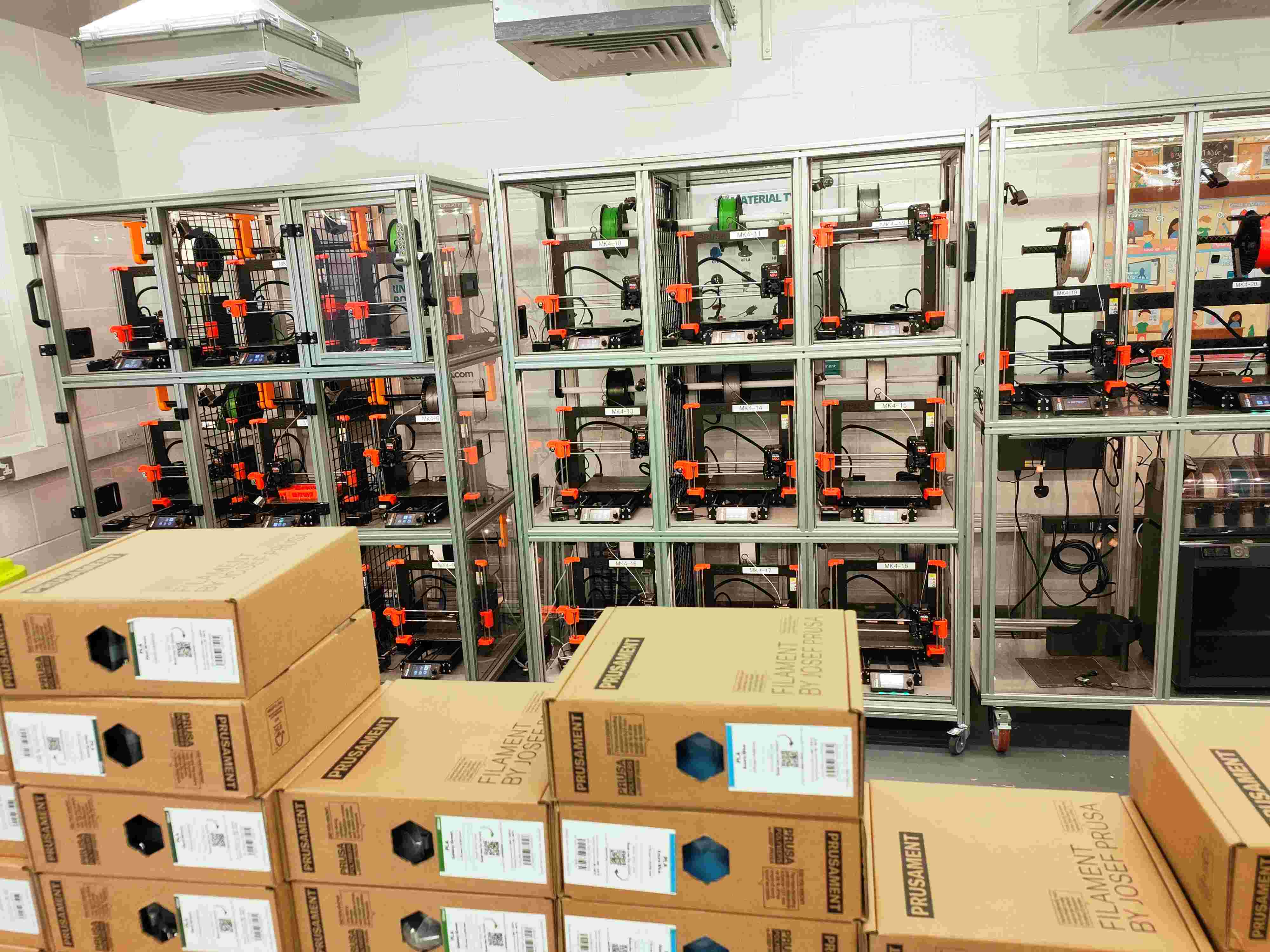
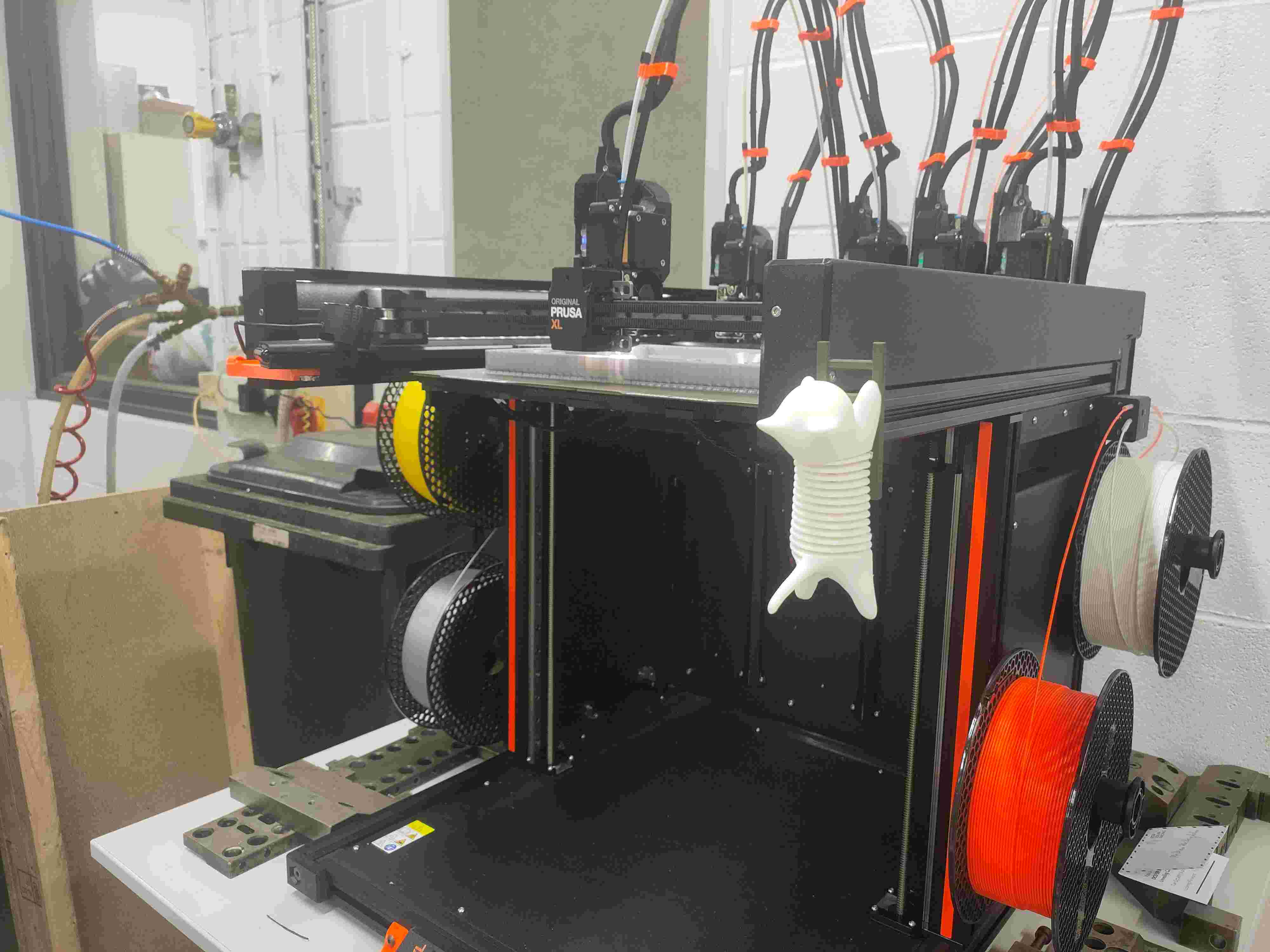
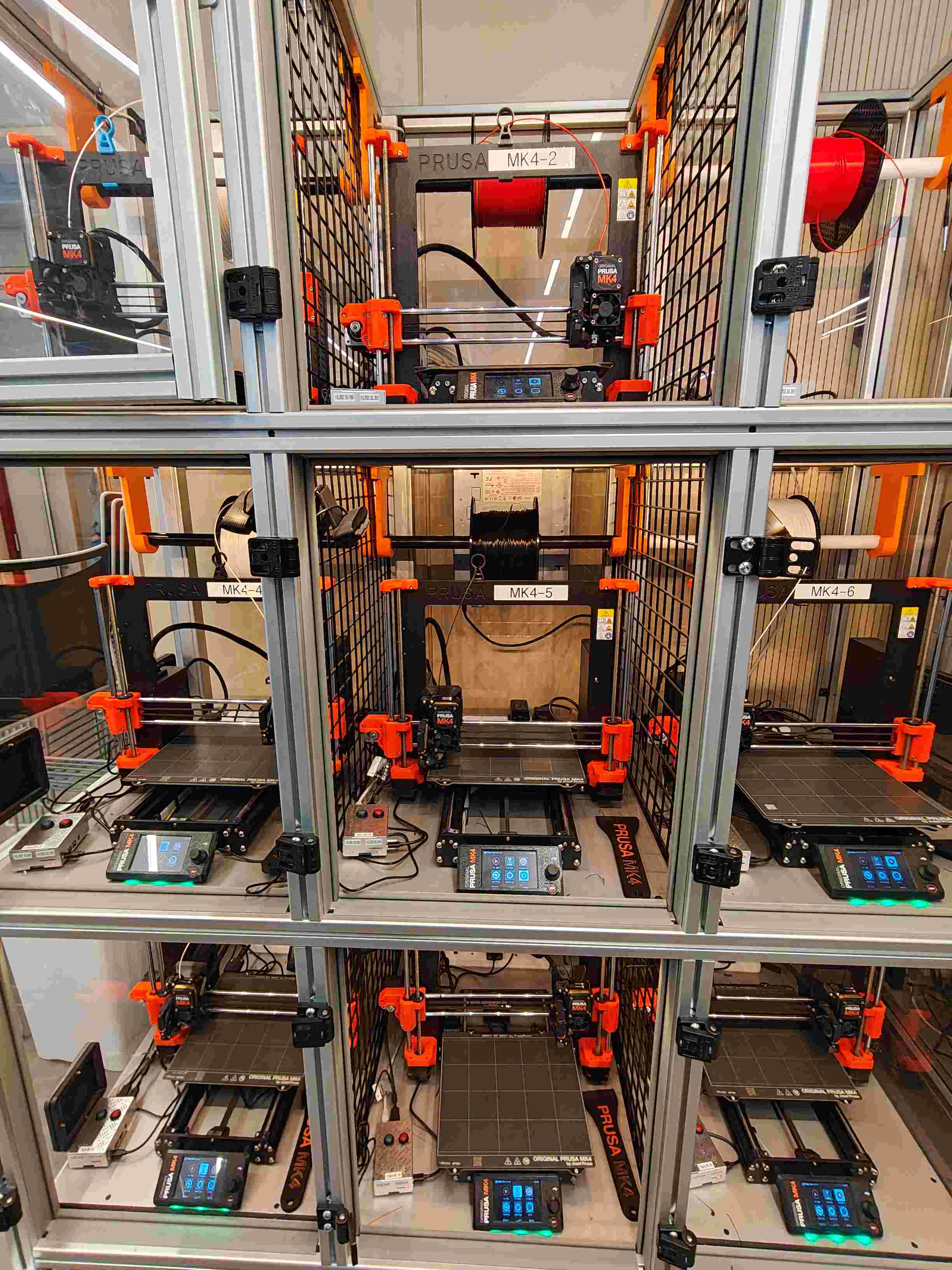
24 Original Prusa MK4 FDM printers — same platform, different quirks — housed in modular aluminium racks with polycarbonate enclosures, each bay labelled for asset tracking (MK4-1 through MK4-24). A Prusa XL with a five-tool head handled larger-format and multi-colour prints. Every MK4 was paired with a Raspberry Pi running OctoPrint and aggregated into a single 3DPrinterOS queue. Users uploaded STLs through a web portal; jobs were auto-scheduled across available machines. The entire pipeline — hardware, software, and the humans in between — had to run smoothly, and that was the job.

1

Hardware Layer

24 Original Prusa MK4 printers on modular aluminium racks with individual polycarbonate enclosures, each bay labelled for fleet tracking (MK4-1 through MK4-24). A Prusa XL with a five-tool head handled larger-format prototypes. Each Raspberry Pi gave one-to-one printer control — remote monitoring, time-lapse capture and real-time error alerts.

2

Software Stack

3DPrinterOS orchestrated the print queue with automatic bed assignment, G-code streaming and job history tracking. OctoPrint provided per-machine telemetry — nozzle temperature, bed temperature and print progress at a glance.

3

Support Pipeline

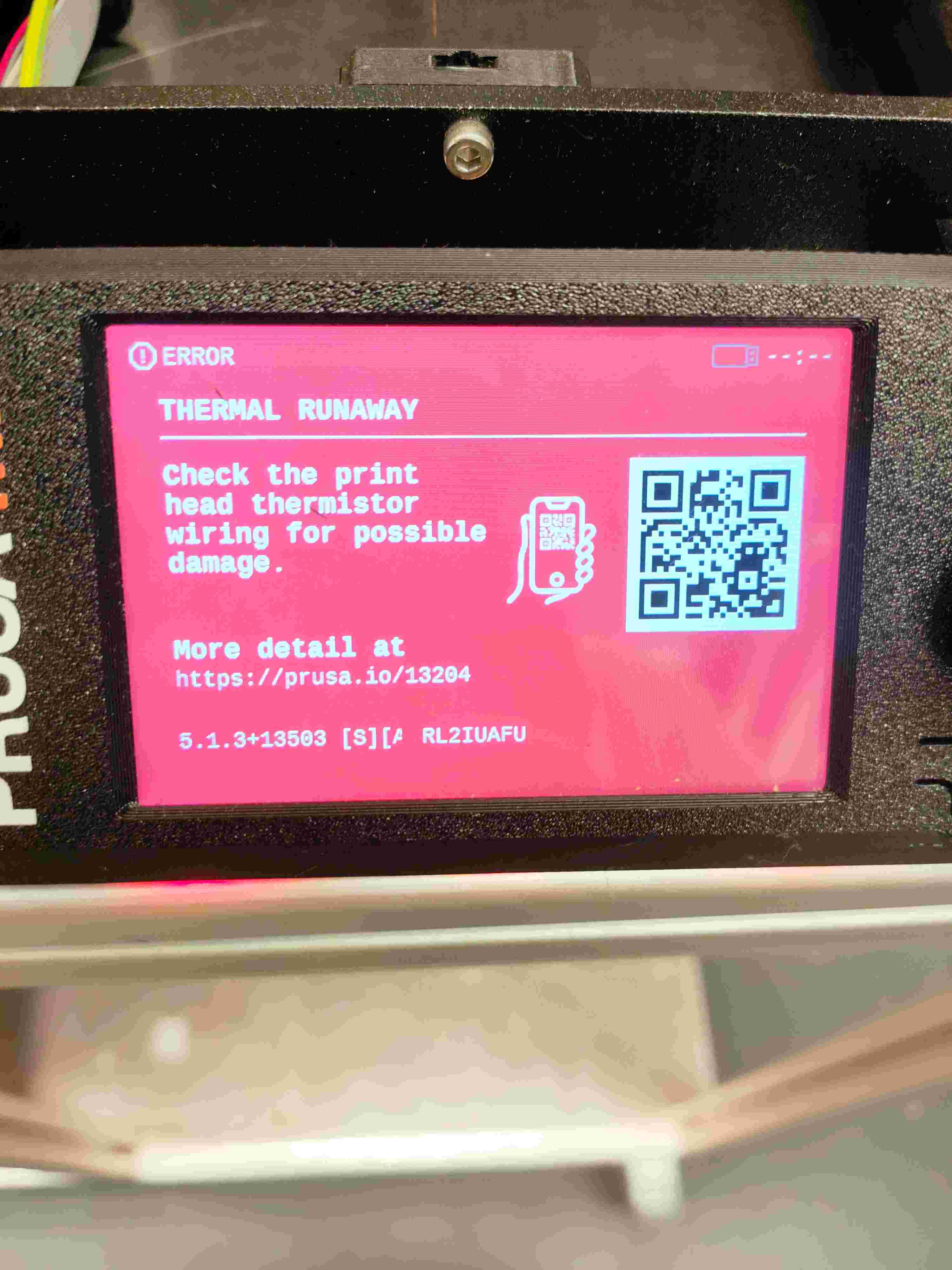
Students submitted tickets or walked in during lab hours; I was the first line of support. Issues ranged from slicing settings (Cura profiles, infill, supports) to hardware faults — extruder jams, thermal runaway, heater block burn-outs, bed adhesion failures. Every repair was photographed and logged, building a reference library of failure modes for future diagnoses.

Daily Operations

Fleet Overview
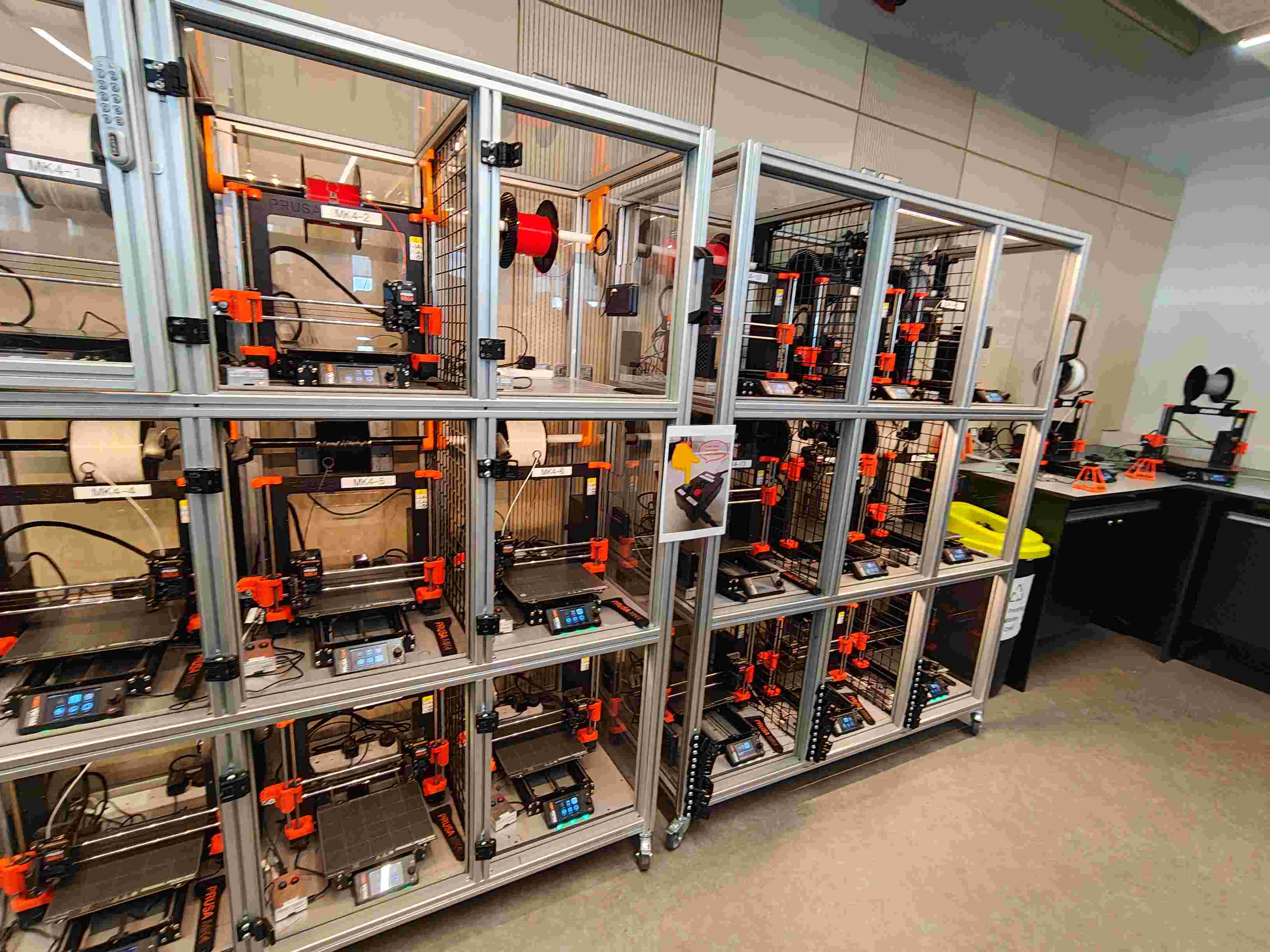
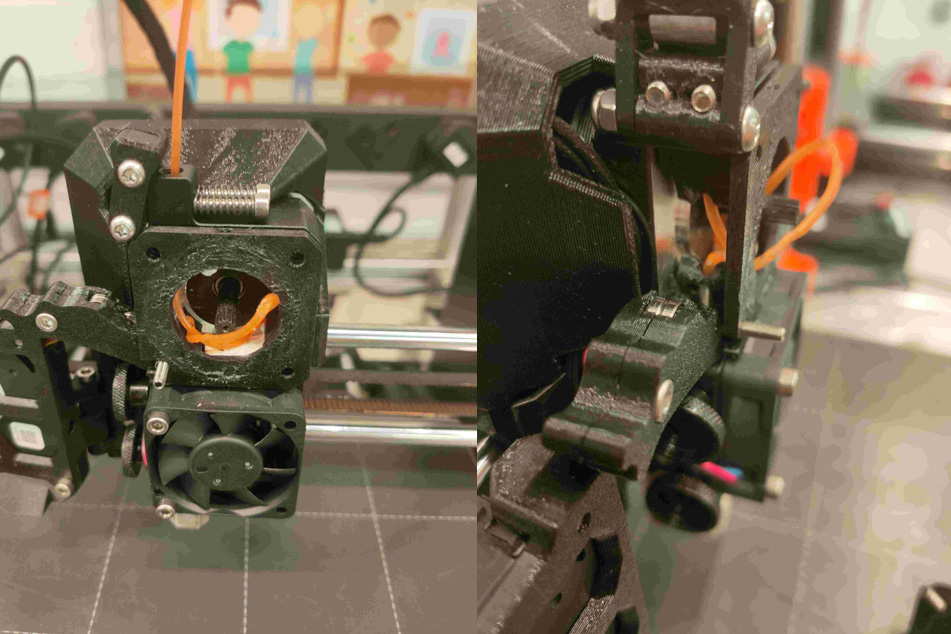
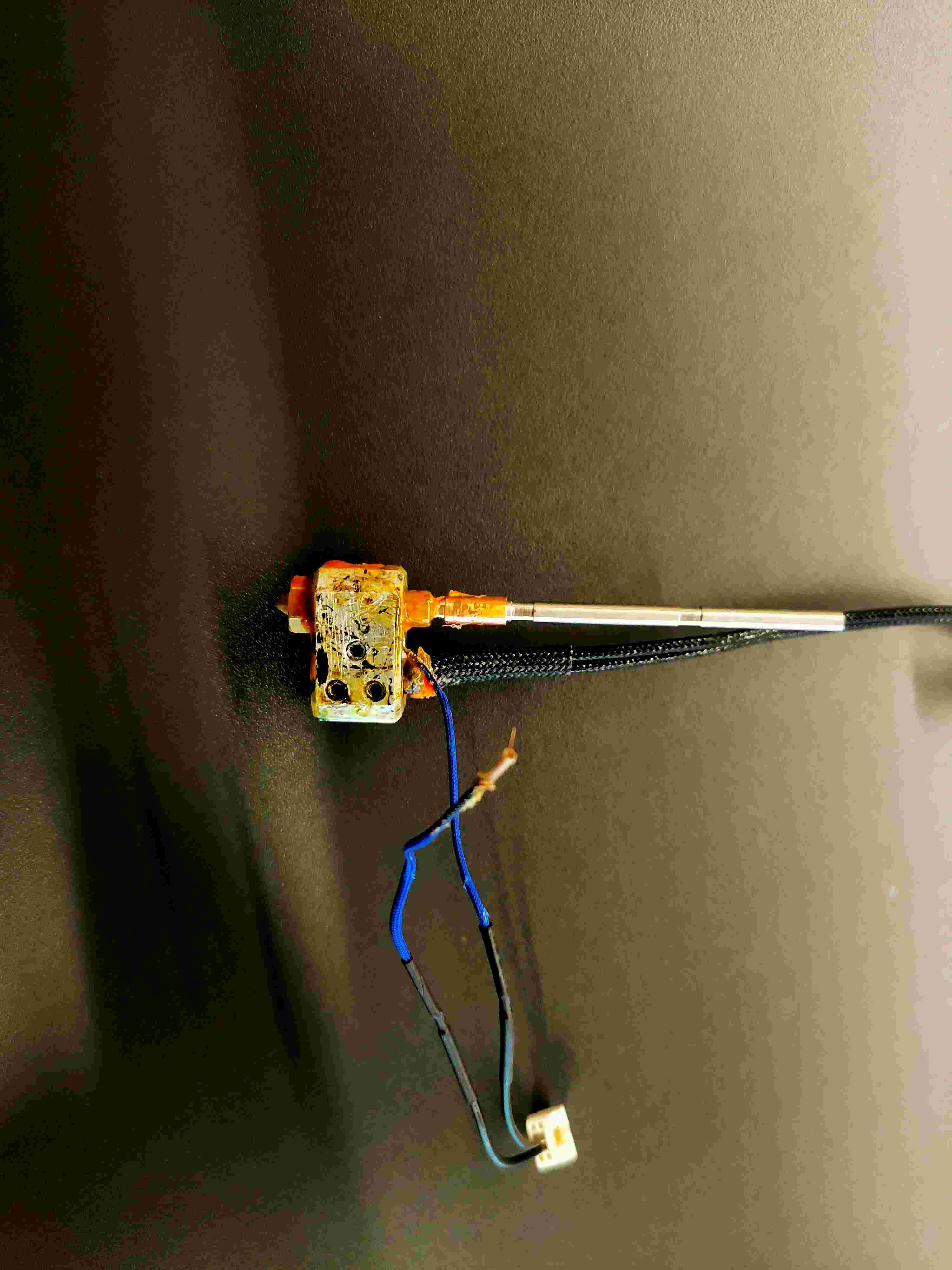
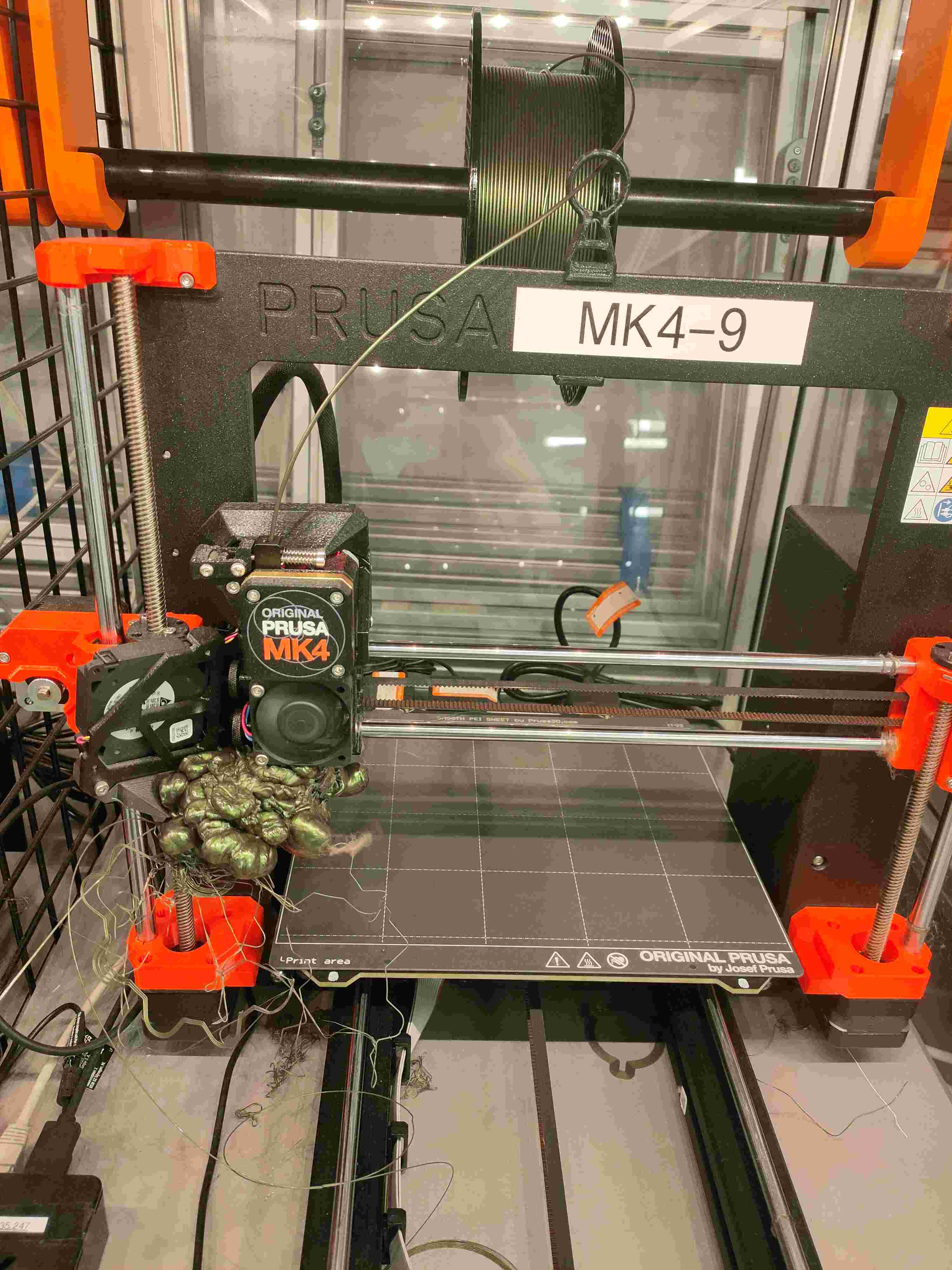
Shift rhythm: Every morning started with a walk-through — check active prints across every labelled bay, clear completed jobs, scrape build plates, reload filament. Then the firefighting began: a MK4-9 with a filament blob engulfing the hotend, a thermal runaway alert from a frayed thermistor wire, a heater block caked with carbonised residue, or students who accidentally clicked “print all” on a 300-file batch. Every failure was photographed and logged — building a mental library of failure modes that made each subsequent diagnosis faster.
A

Preventative Maintenance

Daily: Bed levelling verification, nozzle wipe, filament tension check, build surface inspection.

Weekly: Belt tension adjustment, lead screw lubrication, thermistor accuracy verification.

Monthly: Full extruder teardown, heater block and thermistor inspection, PTFE tube replacement, Pi SD card health check.

Impact: Recurring faults (clogs, layer shifts, thermal runaway) dropped noticeably after the first full maintenance cycle. The heater block teardowns alone caught three thermistor wiring faults before they triggered emergency stops mid-print.

B

Field Troubleshooting

Hardware: Jammed extruders, warped build plates, failed bed leveling probes, power supply failures.

Software: G-code parsing errors, OctoPrint plugin conflicts, 3DPrinterOS connectivity drops.

User side: STL manifold issues, overhangs without supports, unrealistic tolerance expectations.

Approach: Diagnose remotely first — via Raspberry Pi telemetry and 3DPrinterOS logs — then escalate to physical intervention when needed.

Common Failure Modes

Four common failure modes photographed for the fault log and used to train student users on runtime checks.
Capstone & Coursework Support

Beyond lab operations, I advised students on physical prototype builds and printability throughout the year.

CAD Design Review

Reviewed SolidWorks part models for printability — wall thickness, overhang angles, fillet radii and tolerance stack-ups. Recommended redesigns that reduced support material and print time by 30–40% on average.

Drawing Verification

Cross-checked engineering drawings against printed prototypes — verified critical dimensions with callipers, flagged discrepancies between CAD intent and as-built geometry.

Material Selection

Advised on PLA versus PETG versus ABS based on mechanical and thermal requirements — a wind-tunnel model needed different behaviour than a functional jig used on a drill press.

SOP Documentation

Wrote standard operating procedures for printer startup, filament change, bed levelling and emergency stops — standardising training for new lab users and casual staff.

Open Days & Outreach

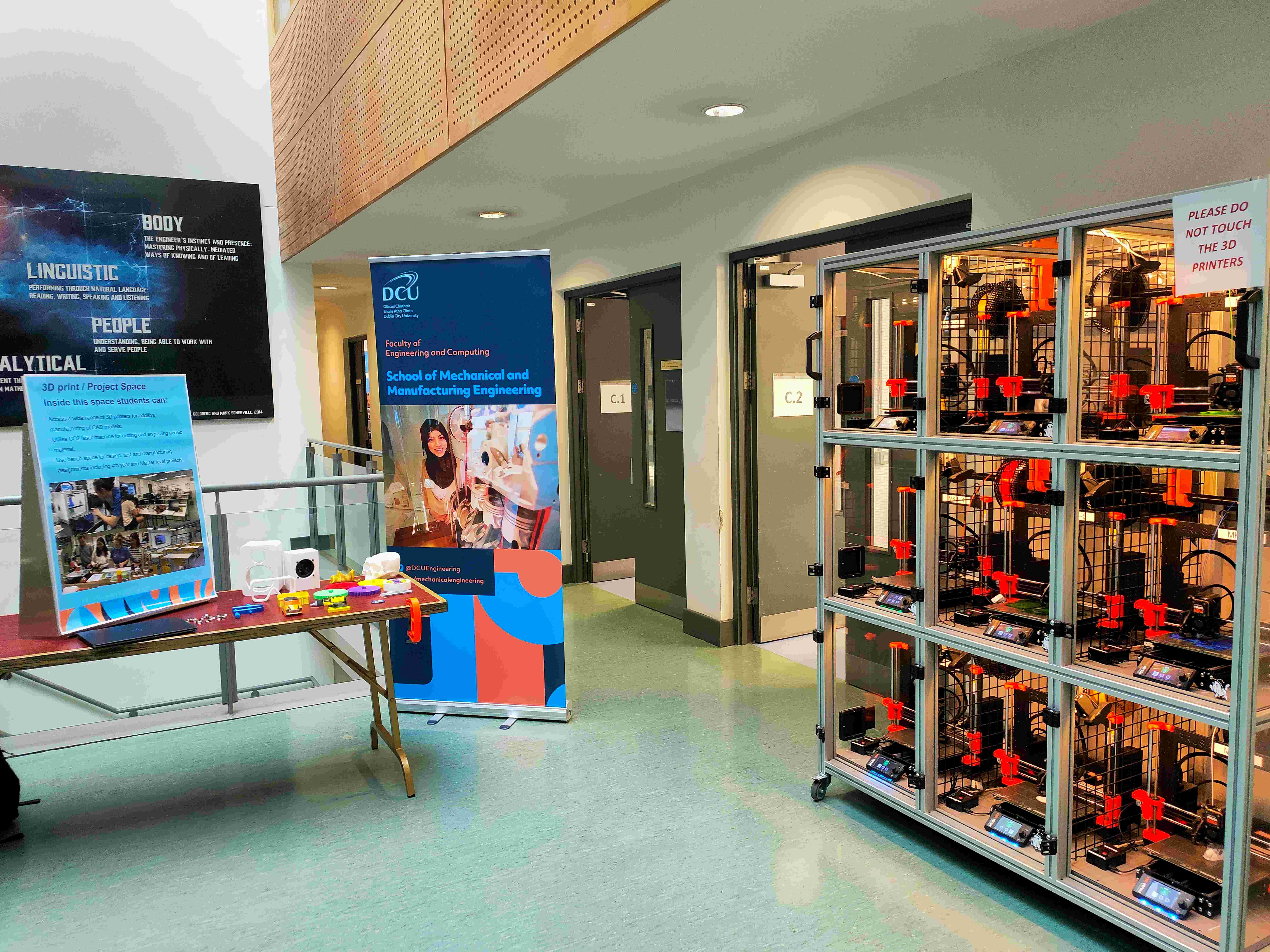
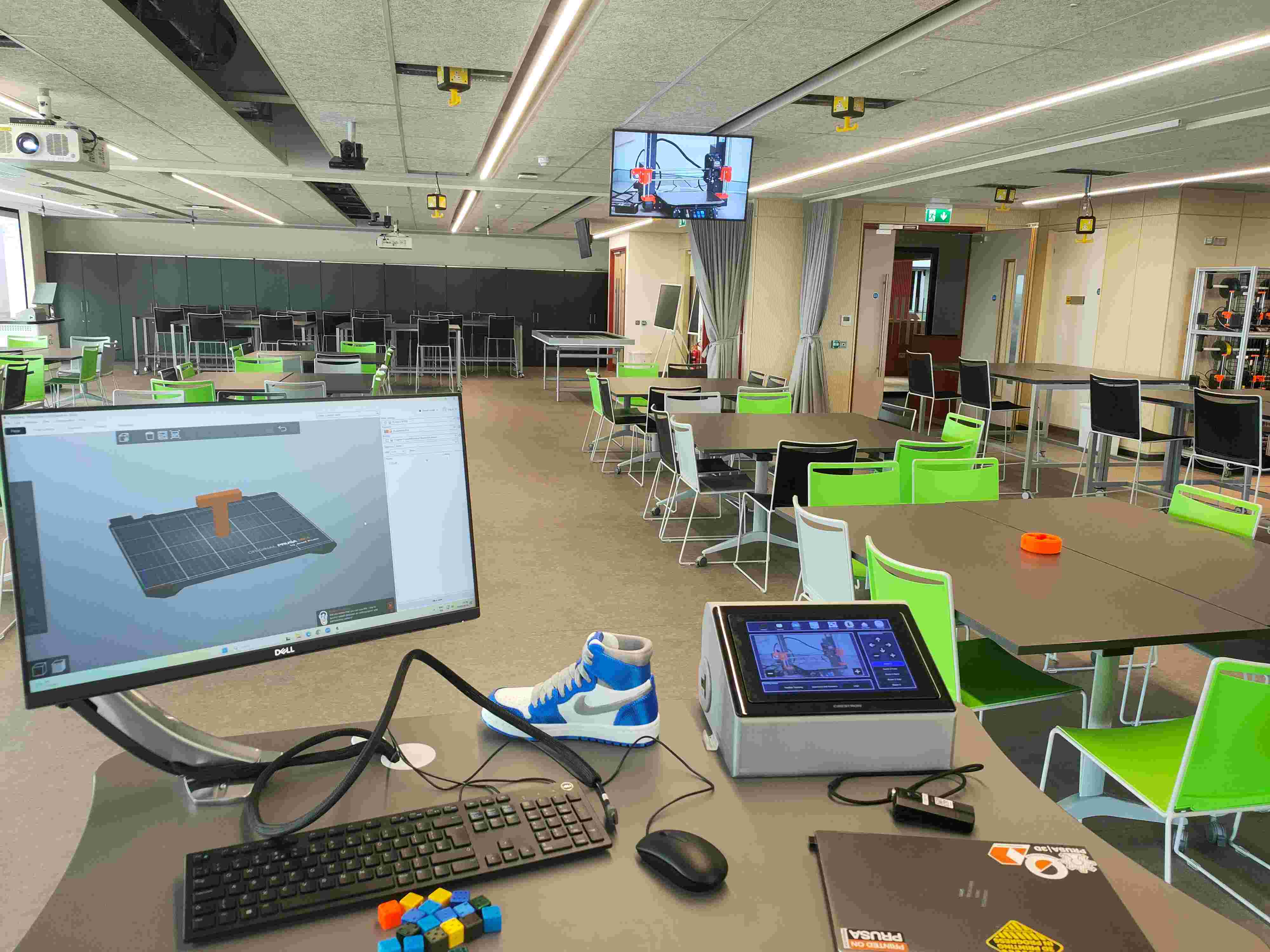
On faculty open days, I set up an exhibition booth in the corridor outside the lab — a table of sample printed parts alongside posters explaining the workflow — while the MK4 rack ran live behind a DO NOT TOUCH barrier. I walked visiting secondary school students through the full fleet and gave a short classroom talk, using the Crestron AV panel to switch between a live printer feed and PrusaSlicer, showing how an STL becomes a physical part in real time.

Student Reference

3D Printing Lab Guidebook

While running the lab, I wrote a practical guidebook for the students I was training — covering fleet operations, maintenance routines, slicing profiles, common failure modes and lab safety protocols. It became the day-to-day reference for new lab users and casual staff, reducing repeat questions and helping students troubleshoot on their own.

First page of the 3D Printing Lab Guidebook

Classroom Hardware Mini-Projects

Small 3D-printed interventions that removed everyday friction for lecturers and students in the teaching space.

Touchscreen dock & socket adapter

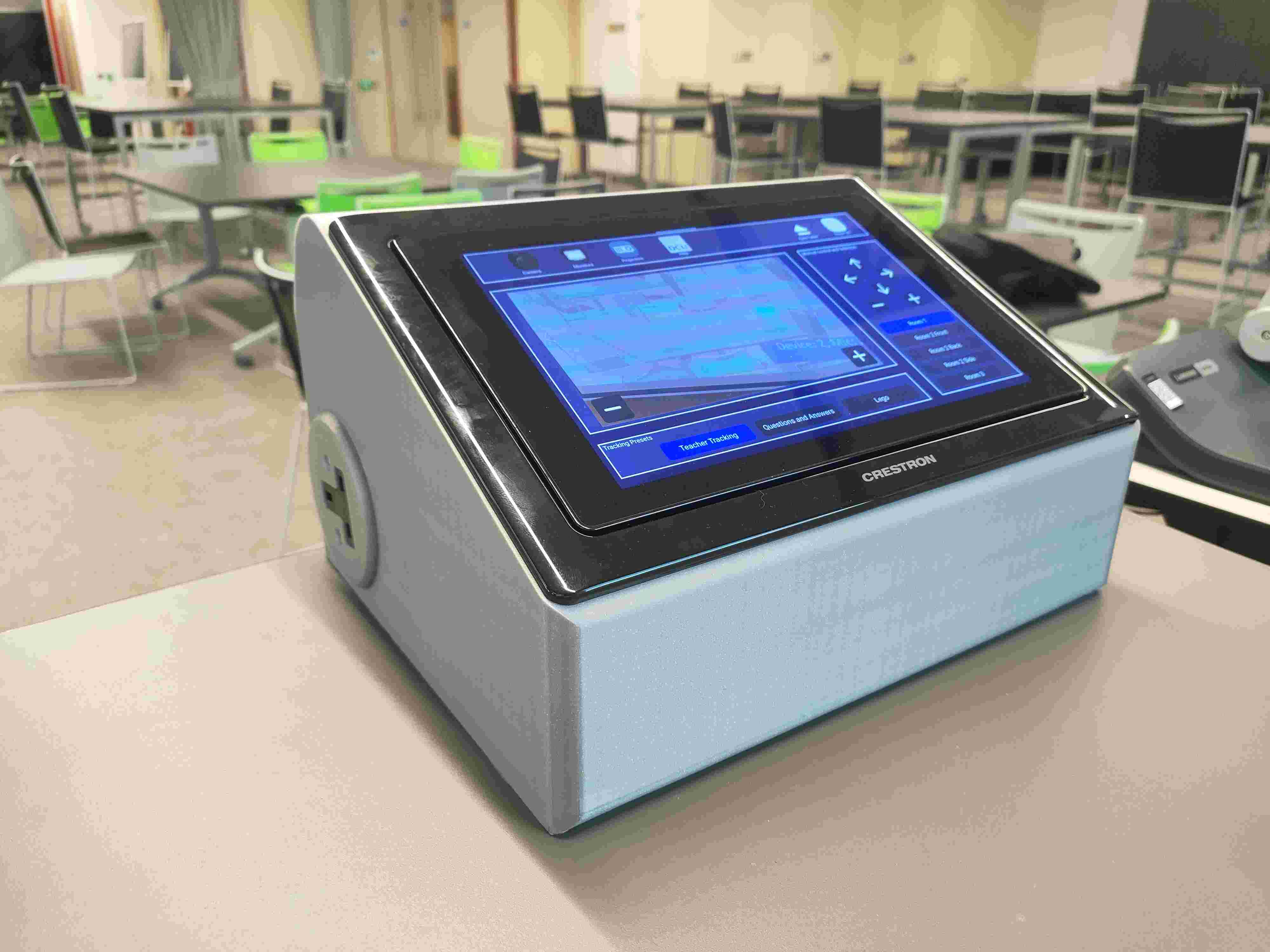
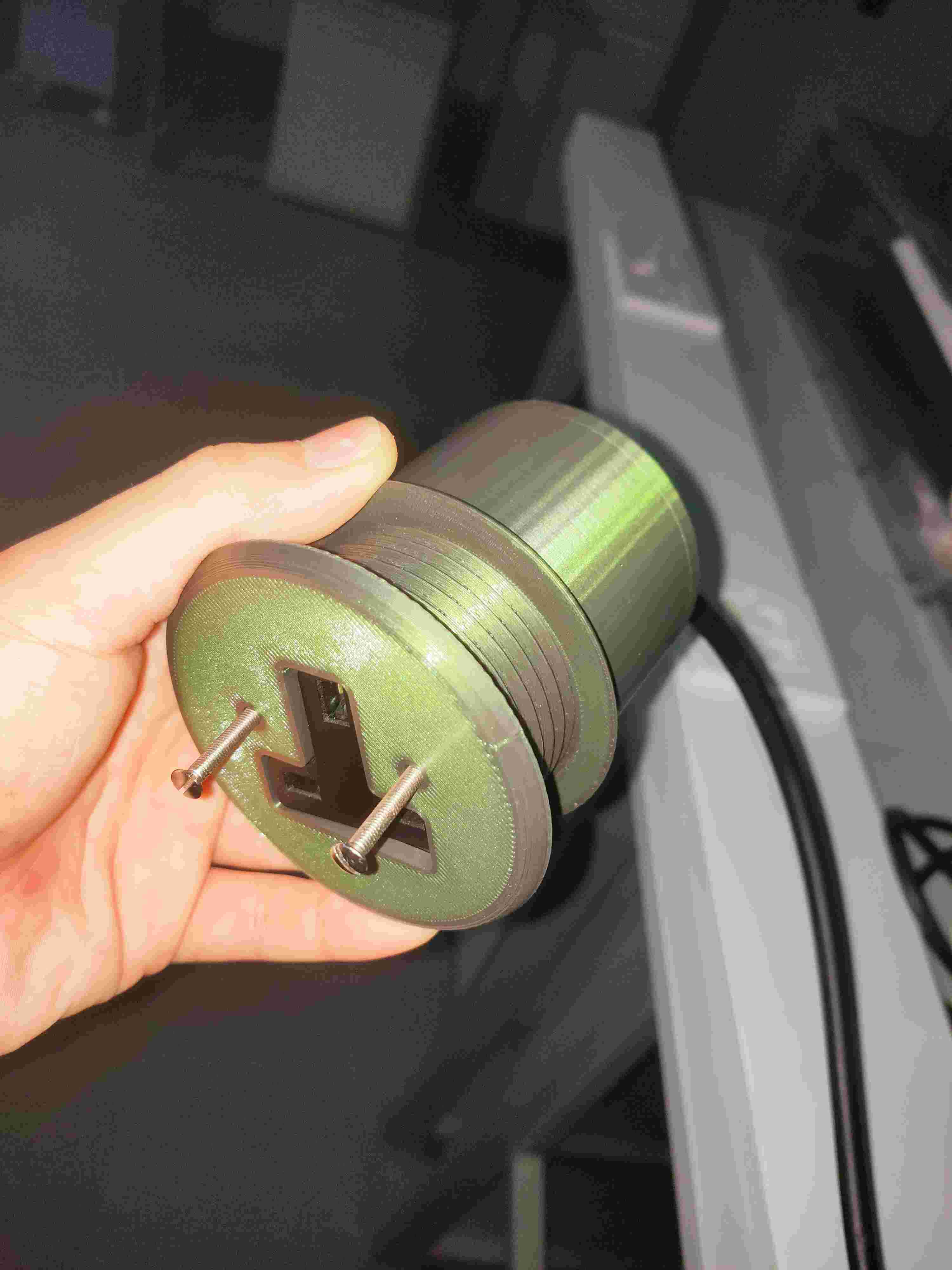
The classroom Crestron touchscreen was a loose tabletop unit with a stiff power cable and no strain relief. I designed a 3D-printed cylindrical dock with an integrated UK Type-G socket adapter (right) — providing a stable angled base and a side-mounted power outlet. The socket can be wired from both sides before the housing is fully enclosed, keeping live terminals finger-safe while remaining serviceable.

Projector–lectern cable hanger

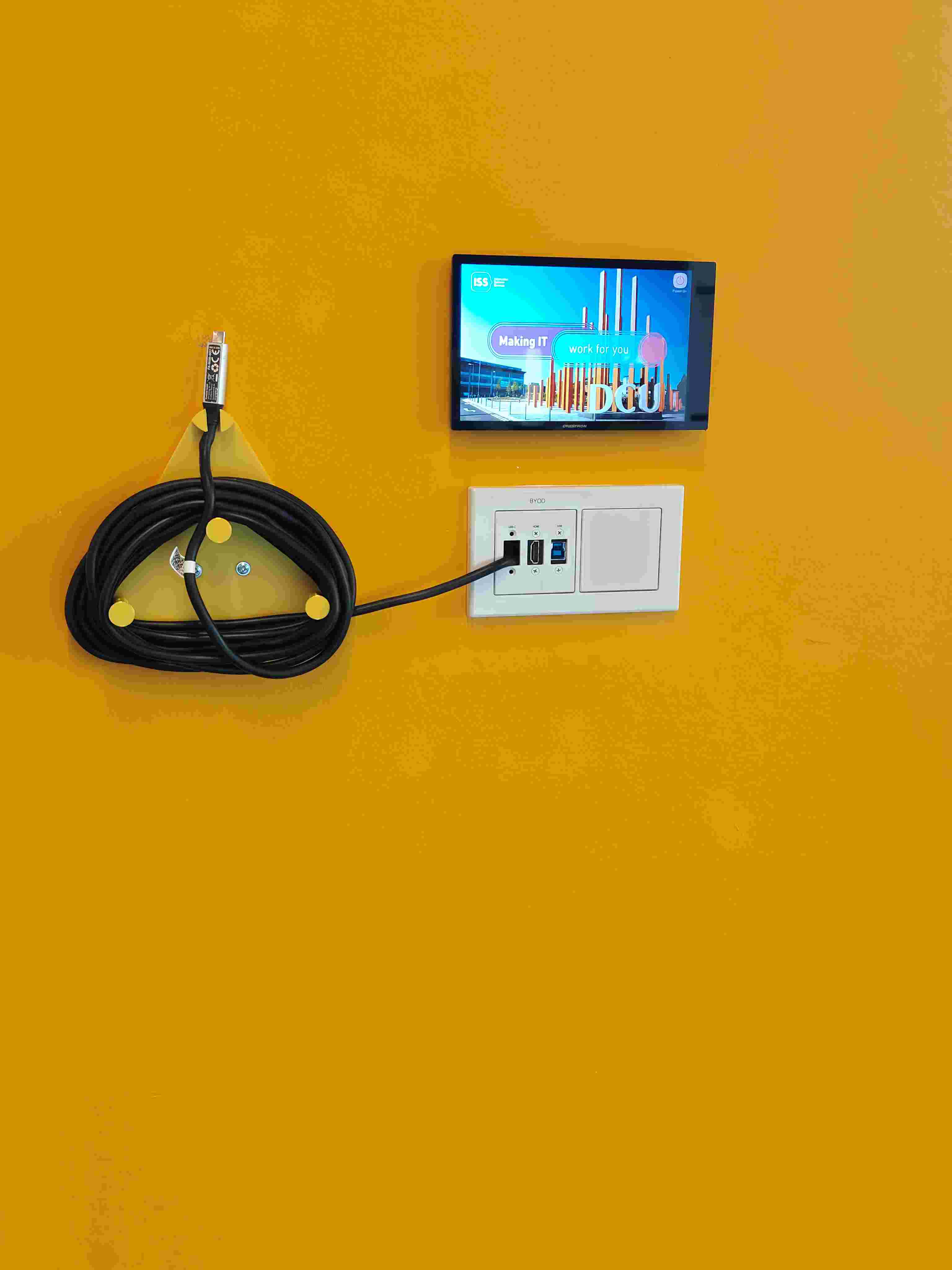
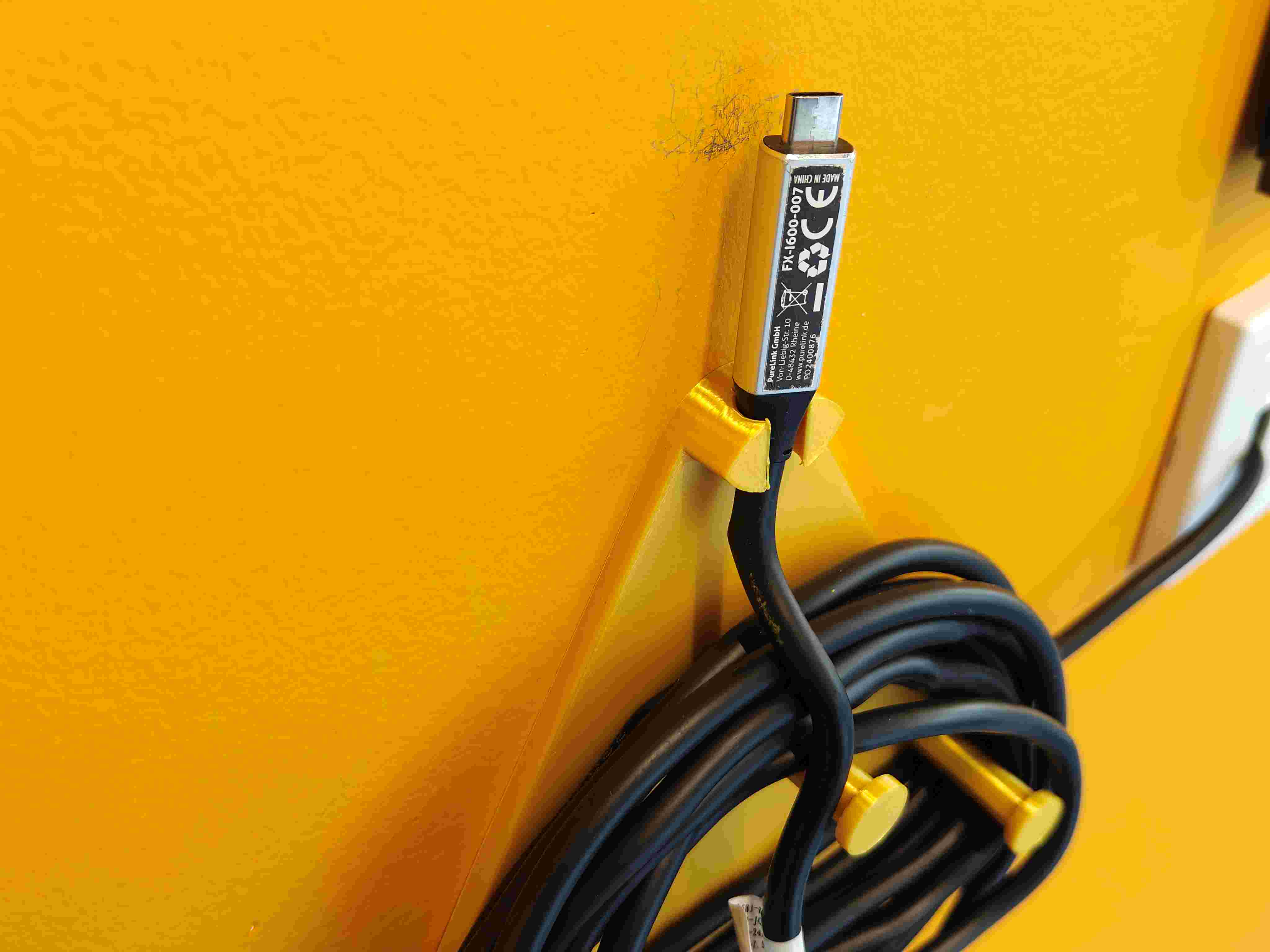
The projector-to-lectern data cable previously hung loosely across desks and chair backs, creating clutter and trip hazards. The original BYOD panel used a triangular wrap holder that was awkward to access and left the connector unprotected. I designed a wall-mounted hanger that suspends the cable by its connector at eye level — lecturers can grab it in one motion, and keeping the cable jacket off the floor reduces wear on the connector housing.

Curved projector screen bracket

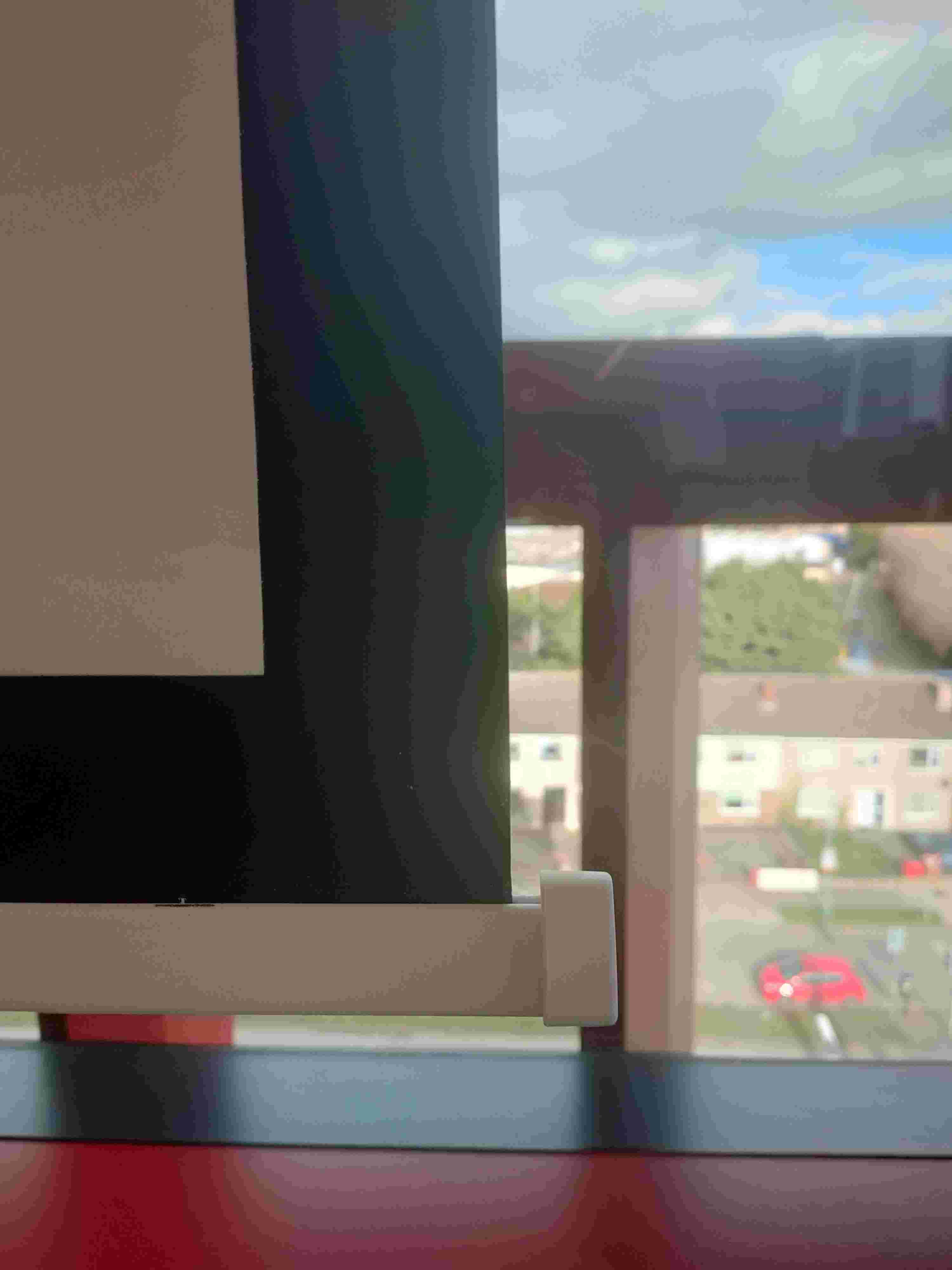
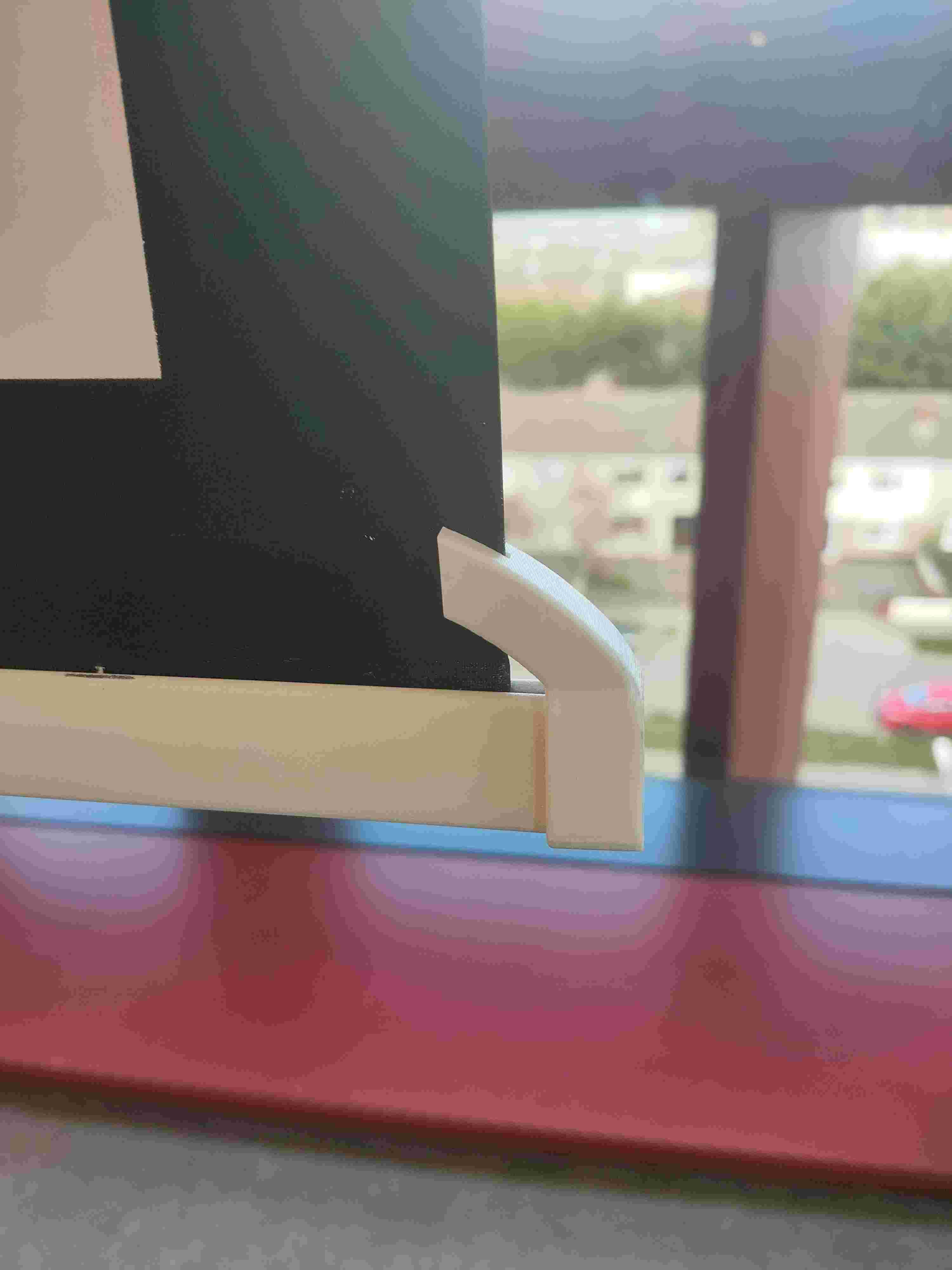
The original projector screen end cap had a sharp corner that could catch on furniture when the screen was raised, risking fabric tears. I designed a curved 3D-printed bracket that snaps over the end cap — it slides rather than snagging on impact, protecting both the screen and the furniture below.

3D-printed speaker enclosure

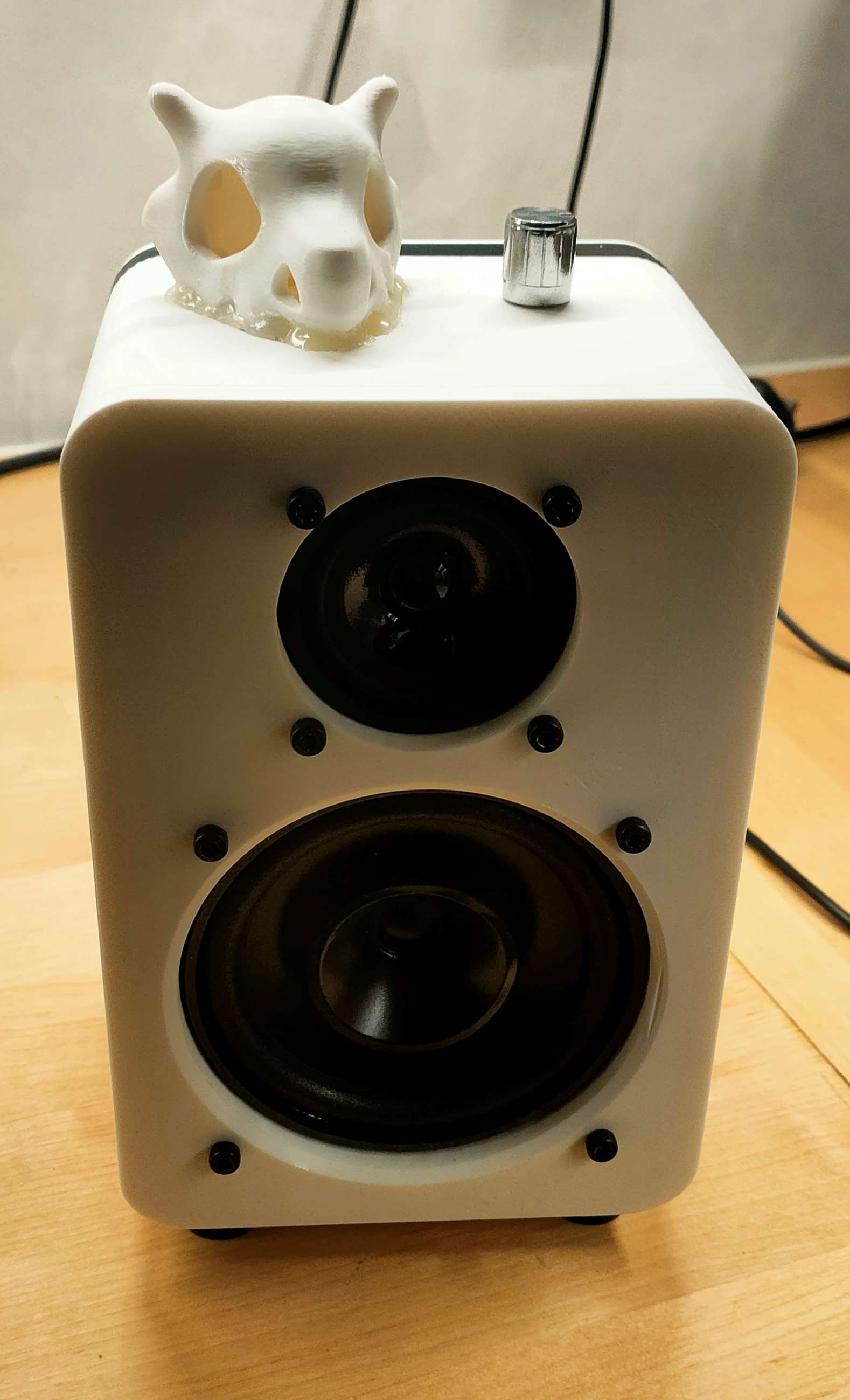
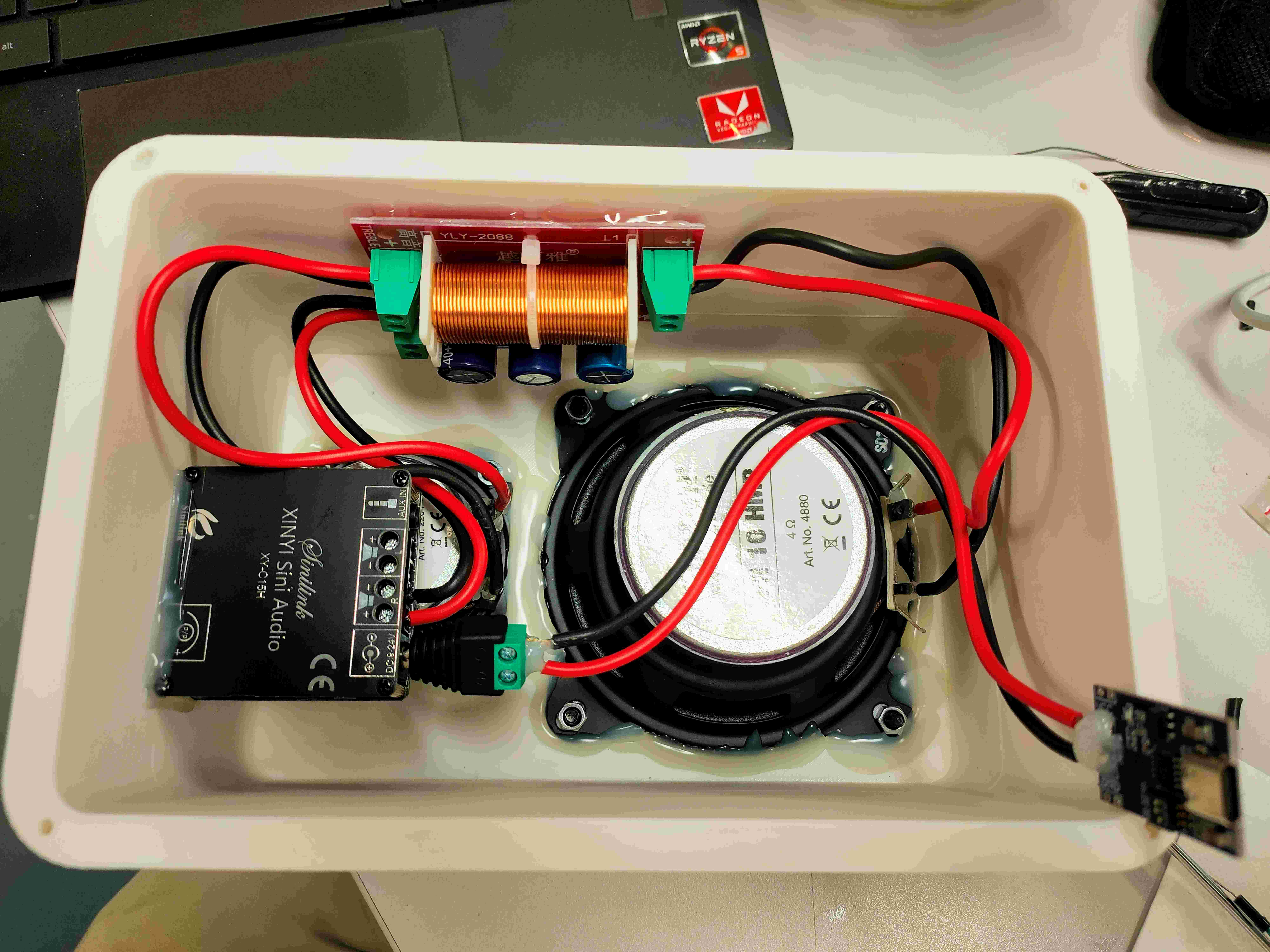
Outside of lab hours, I designed and printed a compact two-driver speaker enclosure (exterior left, interior right). The build integrates a YLY-2088 crossover board and a XY-C15H Bluetooth amplifier module with a 4 Ω driver — wired, soldered and secured inside the printed shell. The project required thinking about driver resonance, internal clearances, wiring serviceability and heat dissipation in a small enclosed volume — skills that translate directly to designing mechanical housings for field electronics.

24

networked printers

2

academic cycles

200+

students supported

8+

SOPs written

Tools & Skills Applied

FDM/FFF 3D Printing

24-printer fleet ops

Raspberry Pi

OctoPrint, telemetry

3DPrinterOS

Queue & fleet management

Cura / Slicing

Profile tuning

SolidWorks CAD

Design review

Hardware Diagnostics

Extruder, thermistor, bed

Health & Safety

Risk assessment, SOPs

Technical Support

200+ end users

Reflection

"Running a 24-printer lab taught me something no classroom can: how to triage under pressure. When six prints fail overnight and a student's capstone deadline is tomorrow, you don't have time for textbook diagnostics. You learn the failure modes — a specific scraping sound on layer 3, that one printer whose bed always drifts after 20 hours — and you build mental checklists that make you faster every week. That kind of systematic troubleshooting carries directly into field service engineering."

Back to Experience Next Project